One of the best ways you can support Primal Potential is by rating and reviewing the podcast. I get a lot of questions about how to do it and where to go. It’s not always an easy process. I’ve put together some quick instructions to help you out when reviewing from iTunes on your computer or on your phone.
For Instructions from other Applications look here:
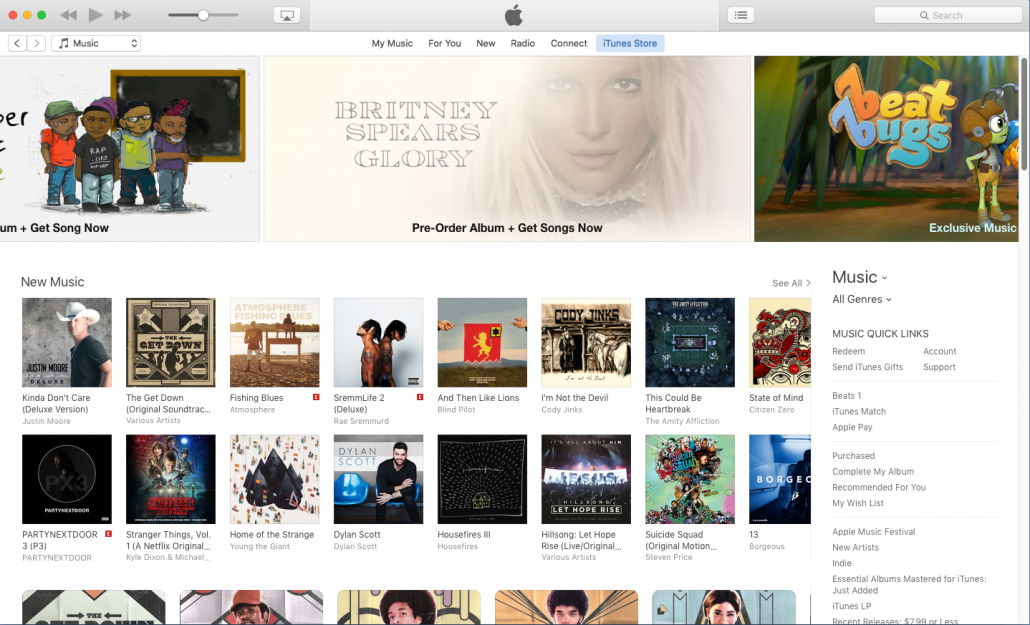
Step 1: Open iTunes
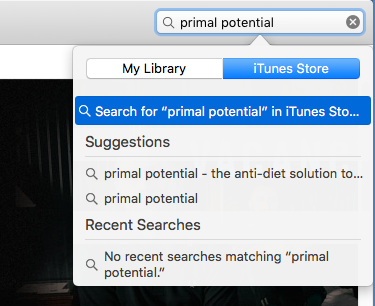
Step 2: In the top right-hand corner search for Primal Potential and hit enter to search
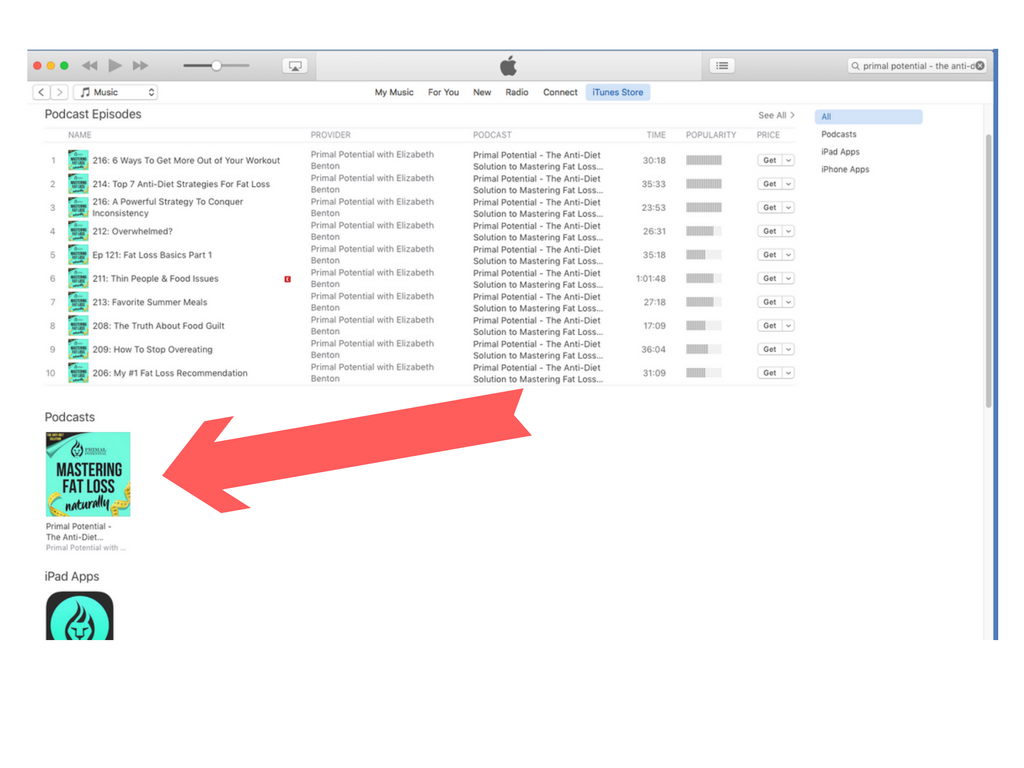
Step 3: Click on the album artwork in the middle of the page to open the Podcast
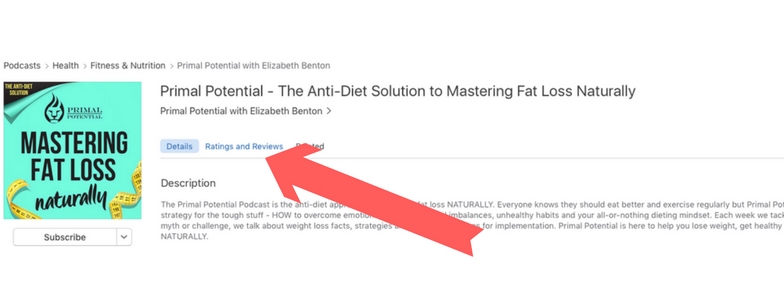
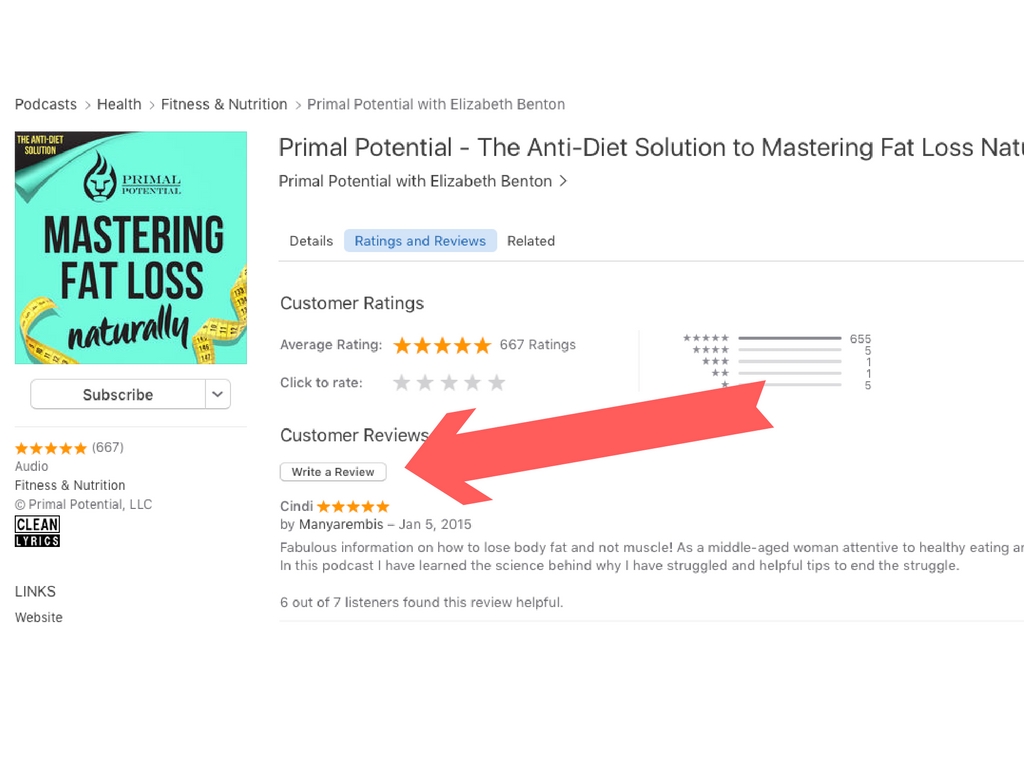
Step 4: Select the “Ratings and Reviews Tab”
Step 5: Select the “Write a Review” Button and leave your feedback. Thank you!
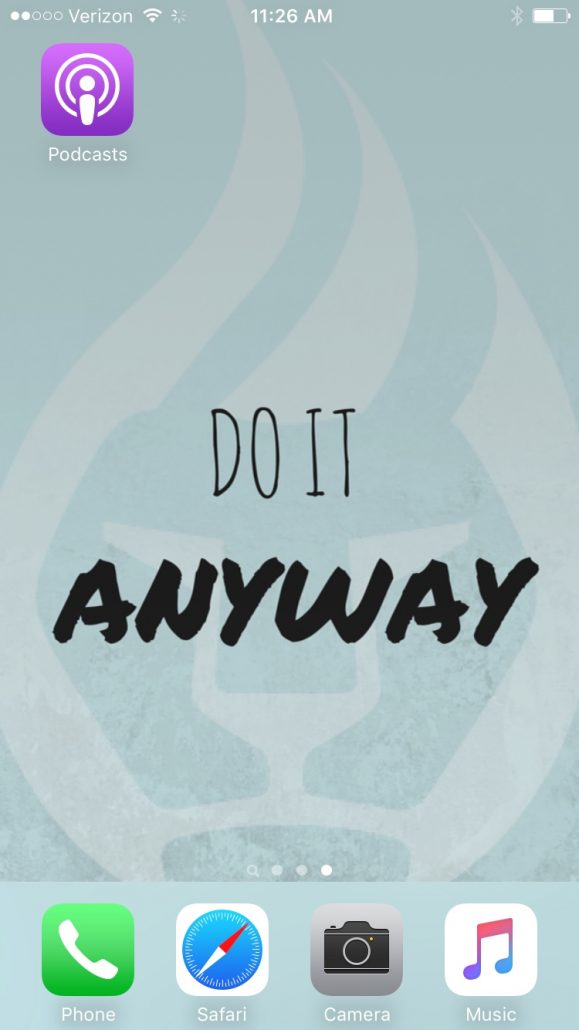
Step 1: Launch Apple’s Podcast app.
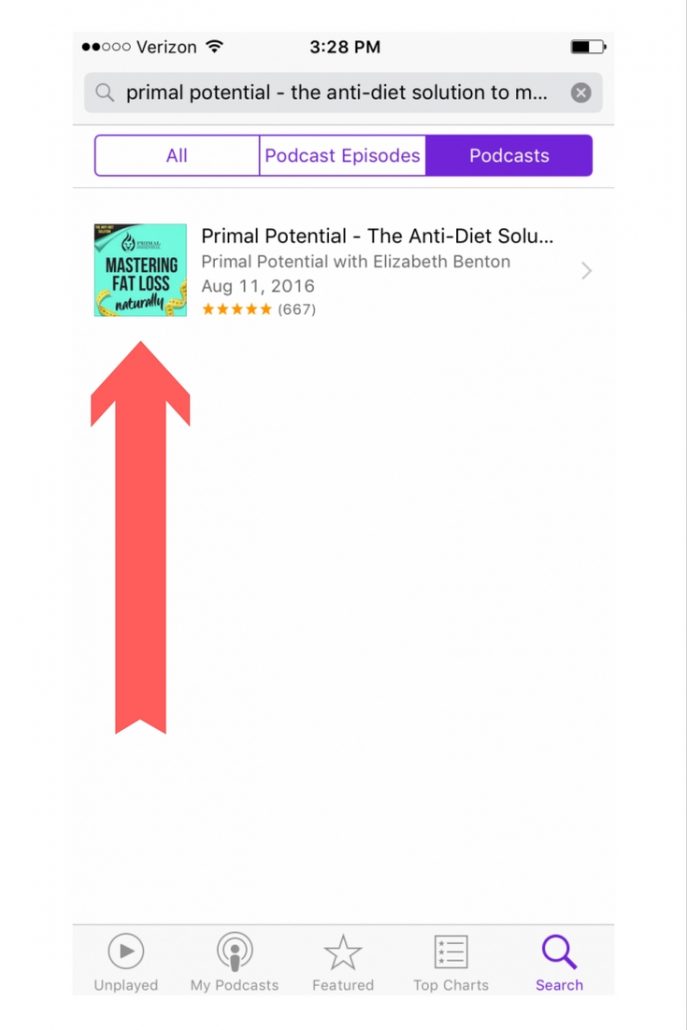
Step 2: Tap the Search icon in the bottom right and enter Primal Potential and click Search!
Step 3: Tap the Album art for the Podcast
Step 4: Tap the Reviews Tab
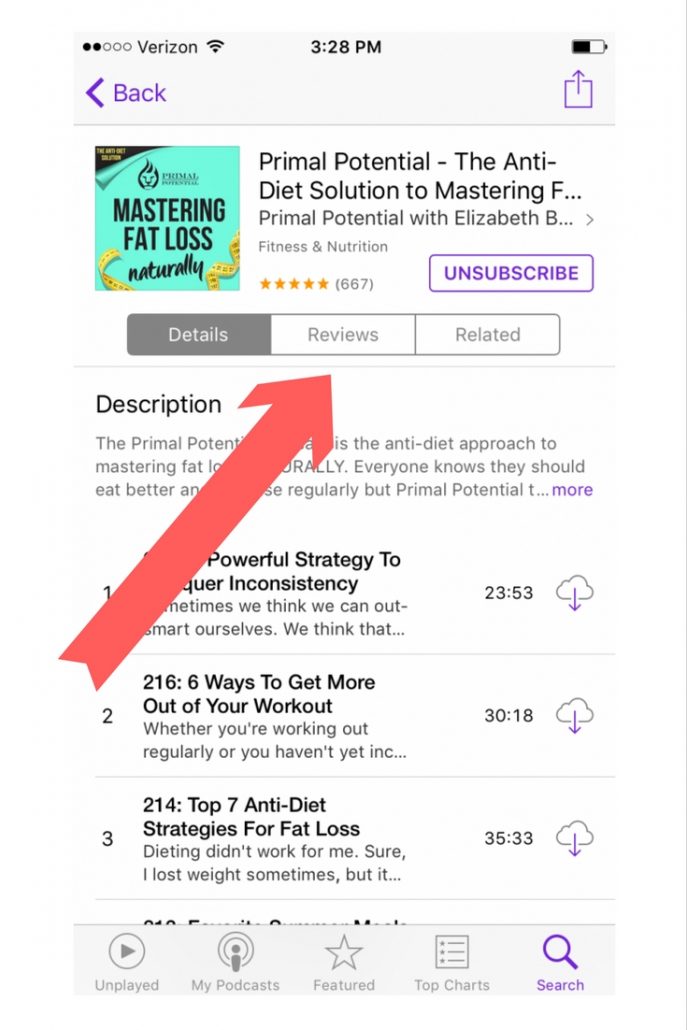
Step 5: Tap Write a Review
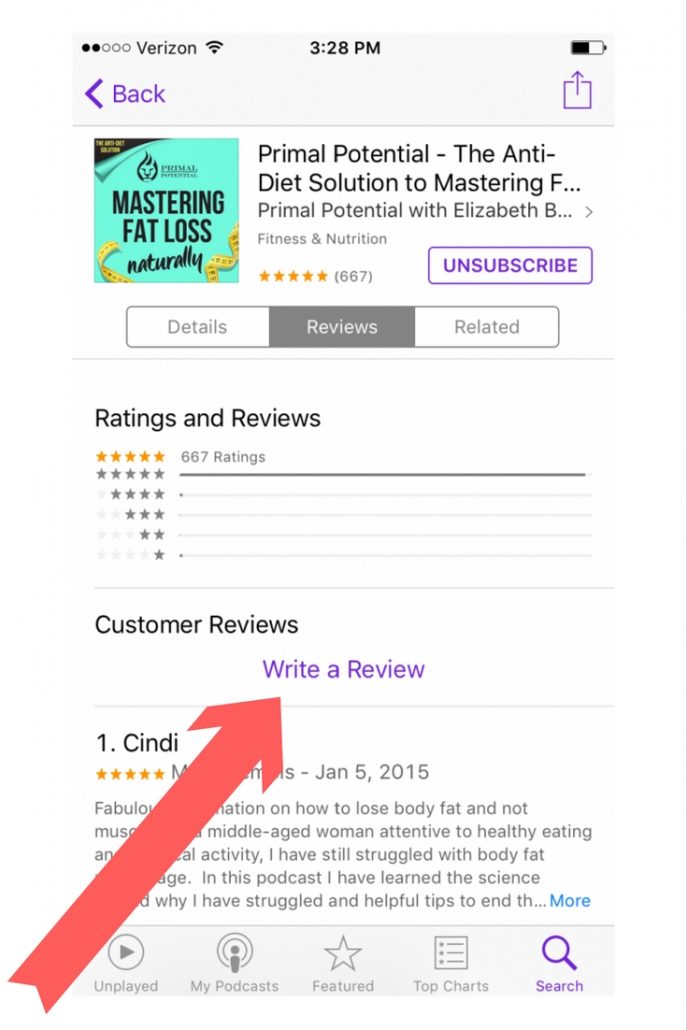
Step 6: Write your Review and Send! Thank you!